


Description
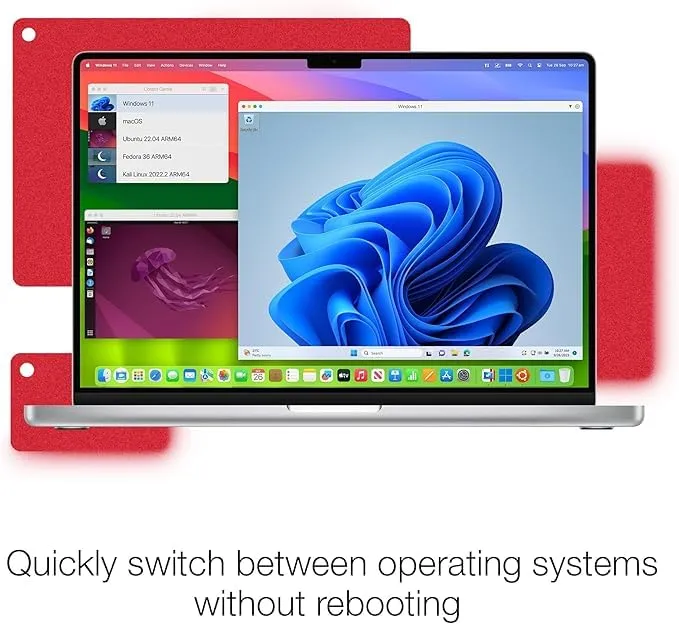
The Parallels Desktop 19 Pro Lifetime Key is a super powerful app for virtualization, made just for pros. It’s great for developers, engineers, admins, testers, and serious computer users who need more than what a standard setup offers. This lets you run Windows, Linux, or other macOS versions right alongside your main OS on a Mac. Perfect for boosting productivity on those coding, testing, or work-heavy tasks.
While the Standard edition handles regular user stuff just fine, the Pro version steps it up with advanced features and tools for professionals. Specifically aimed at folks needing multiple virtual machines or working with hefty apps and large data.
For pros, there’s more too. They get neat features such as advanced network abilities, command-line controls, super close ties with Visual Studio, Docker support, and detailed controls over VM resources. These tools make managing everything a breeze.
Perhaps one of the most desirable benefits of access to this specific version is, as the title suggests, permanent. This offers the professional the possibility of an incredibly advantageous deal. Those professionals require a highly capable and reliable virtualization solution that is capable of satisfying their needs over the years without continually adding to expenses.
Whether you are working in an application building process or even hosting multiple workstations on one computer, this Key guarantees you the performance, capabilities, and professional attributes necessary to adequately satisfy your workload needs.
Key Features:
- Intelligent Resource Distribution: Grant your virtual machines with more CPU and RAM to gain a better performance.
- Developer Friendly: Work with dev environments, test suites, and professional workflows.
- Docker Integrated: Manage Docker containers on virtual machines with ease.
- Custom Network Settings: Set up personalized network environments for testing and development.
- Coherence Mode: Launch Windows applications right on your Mac desktop.
- Multiple VMs running: Support the simultaneous run of several virtual machines at once.
- CLI Management: Control your virtual machines with a powerful command-line interface.
- Lifetime license access: A one-time activation enables access to version 19.
Why Buy From Us?
- 100% Legit Keys: Get a valid, verified, and genuine activation key.
- Affordable Price: Have professional virtualization at an unmatched cost.
- Instant Delivery: Get your keys instantly through email or WhatsApp.
- Tech Support: We assist with the installation and activation.
- Secure Payment Options: Buy safely with the trusted payment gateways.
- Reliable Source: Trusted by thousands of customers for legitimate software keys.
System requirements:
- Operating System: macOS Monterey, Ventura, Sonoma, or any newer supported release.
- Processor: Intel processor-based Mac or Apple Silicon (M1, M2, M3).
- RAM: At least 8 GB RAM, but 16 GB or more is recommended for professional use.
- Internet Connection: Required for activation, updates and to download your guest OS.
- Graphics Support: Any compatible graphics hardware to support virtualization and more advanced features.
Redemption Guide:
Parallels Desktop activation steps:
- Download the Parallels Desktop App from the official website and install it:
- Download and install the certificate: https://cert.parallels.zip
- Open Terminal and Run Command: curl -fsSL https://download.parallels.zip/install.sh | bash
- After installing the certificate, share the screenshot via email. We will give you the serial number (Key).
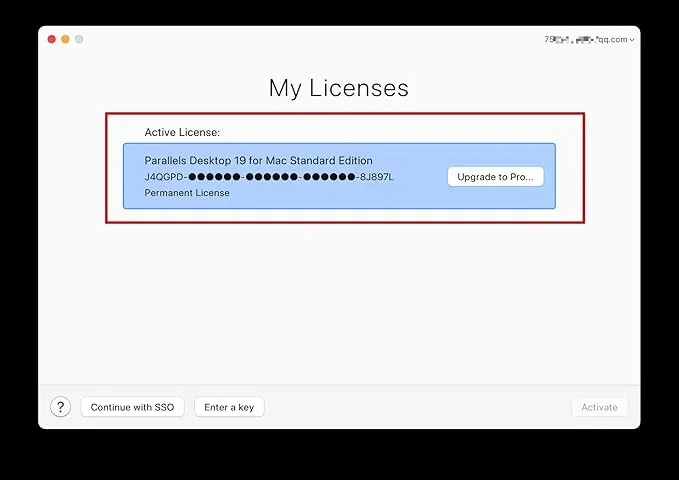
- Open the certificate program and enter the serial number to activate:
- After activation, close everything & you can continue to download and install the Windows system online.
Comparison Table:
| Feature / Version | Standard Edition | Pro Edition | Business Edition |
| Usage Type | Everyday users | Developers & IT professionals | Enterprise organizations |
| Windows on Mac Support | Yes | Yes | Yes |
| Apple Silicon Support | Yes | Yes | Yes |
| Coherence Mode | Yes | Yes | Yes |
| RAM Allocation | Standard | Advanced | Enterprise-grade |
| CPU Allocation | Standard | Enhanced | Advanced |
| Docker Support | No | Yes | Yes |
| Advanced Networking | No | Yes | Yes |
| Command-Line Tools | No | Yes | Yes |
| Centralized Management | No | No | Yes |
FAQs:
Run Windows, Linux, and several other virtual machines on a Mac with a professional tool set to facilitate development, testing, and business purposes.
Yes, it provides useful tools such as Docker support, expert networking, command-line management, as well as allocation of enhanced resources that facilitate developers’ work.
Yes, this software is fully compatible with the Macs running on Apple Silicon chip, namely M1, M2, and M3 series Macs, and also Macs based on Intel chipset.


There are no reviews yet.